My Services: How to recover/Edit your lost password?
After entering your login you forgot your password. In this article, this section shows you exactly how to recover it.
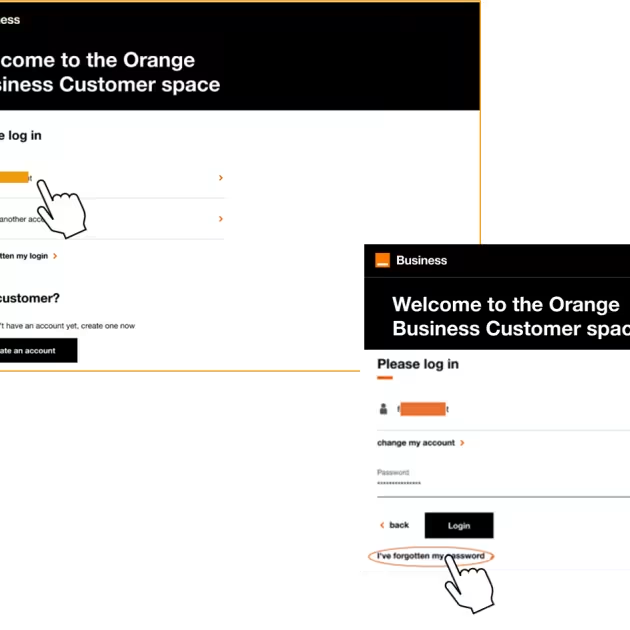
Step 1: The password recovery page
On the sign-in page, enter or choose your login.
Then, click on "I've forgotten my password" to open the password recovery form.

Step 2: Copy the characters (captcha)
Look at the small captcha image and type the characters into the dedicated box.
click "Load another image" if the letters are hard to read

Step 3: Validate
Click the "Validate" button to submit your request.
- Your request, then, will be sent and in a few seconds, you’ll receive an email with the instructions to recover your password.